
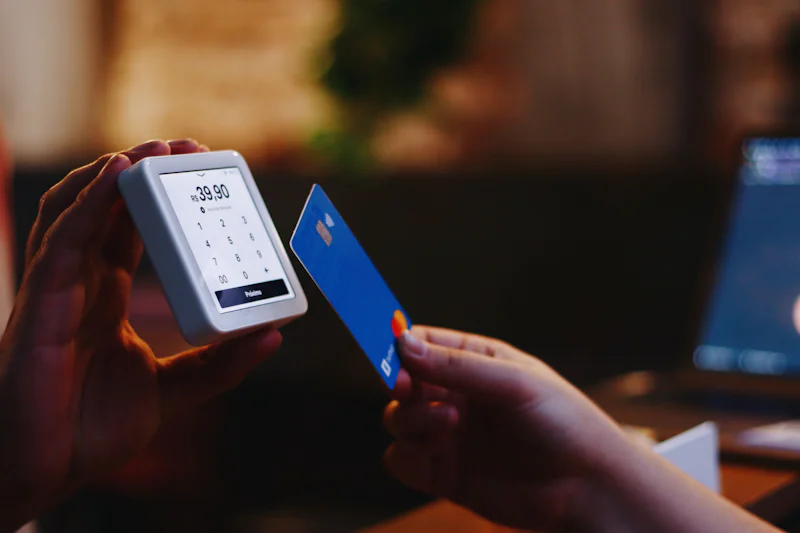
Most UK online shops have a box at checkout for a discount code. Plenty of shoppers skip it. Others try a code once, see it fail and give up. This guide is for anyone who wants to use that box with confidence.
You will find out what a code is, where to enter it, how to work out the saving and which terms trip people up. It also explains why your consumer rights stay the same when you pay a reduced price.
What is a discount code?
A discount code is a short string of letters and numbers that takes money off your order when you enter it at checkout. You will also see it called a voucher code, promo code or offer code. They all mean the same thing. Typical examples look like SAVE15, WELCOME10 or FREEDEL.
When you press apply, the checkout compares the code with a list of live promotions. If it matches and your basket meets the conditions, the total drops.
Codes and deals are not the same
A deal is a price that is already reduced on the product page, such as a sale price or a three for two offer. You don't need a code for it, because the lower price appears as soon as the item is in your basket. People often search for a code to get a saving they already have, so check the basket before you go hunting.
The main types of code
- Percentage off: for example 10% or 15% off the basket, sometimes with a cap on the saving.
- Fixed amount off: for example £5 off when you spend £40 or more.
- Free delivery: removes the delivery charge, which can matter more than a percentage on a small order.
- Welcome codes: usually sent when you join a newsletter or download an app, and valid on a first order only.
- Group discounts: student, NHS and key worker codes, issued after you verify your status.
Finding the code box at checkout
The code box is usually on the basket page or the first page of checkout. Some retailers place it on the payment page, just above the order summary. It is often collapsed behind a link such as "Have a promo code?", so it is easy to miss.
On mobile sites the box is frequently tucked inside an expandable order summary at the top of the screen. If you can't see it, scroll the whole page and tap any summary panel before giving up. In a retailer's app, it may sit in a separate offers or wallet section instead.
Applying a code step by step
The process takes about thirty seconds once you know the order. Most problems come from doing the steps in the wrong sequence.
Fill your basket first
Codes with a minimum spend are checked against your basket at the moment you apply them. If you add a code at £38 and the threshold is £40, it will fail. Finish shopping, then enter the code.
Enter the code exactly
Type or paste the code with no spaces before or after it. Most checkouts ignore capital letters, but a few don't, so copy it exactly as shown. Press the apply button rather than waiting for the page to pick it up.
Check the order summary
A working code appears as its own line, such as "Discount: -£9.00", and the total falls. If the total hasn't changed, the code hasn't applied, whatever the message says. Check the delivery charge and any excluded items too, because most retailers can't add a code after you've paid.
How much will a code actually save?
The saving depends on your basket, not on which number looks biggest. Working it out takes a few seconds. These examples are illustrative and don't refer to any live offer.
Percentage and fixed amount codes
- 15% off a £60 basket saves £9, so you pay £51 before delivery.
- £5 off a £25 basket is the same as 20% off.
- On a £100 basket, £5 off is only 5%, so a 10% code would be worth twice as much.
Fixed amount codes tend to win on small orders. Percentage codes usually win on larger ones.
Caps and free delivery
Some percentage codes have a maximum saving. On a £120 basket, 10% off capped at £10 saves £10, not £12. That cap is often buried in the small print.
Free delivery can beat a percentage on a small order. On an £18 basket with £3.95 delivery, a free delivery code saves £3.95, while a 10% code saves just £1.80. Our guide to free delivery versus percentage discounts runs this comparison in more detail.
Terms to check before you rely on a code
Most failed codes fail because of their conditions, not because they are fake. A quick look at the terms saves a lot of frustration.
Minimum spend and exclusions
Minimum spend is usually measured on the goods subtotal, without delivery. Exclusions often cover sale items, gift cards and some brands. On a mixed basket, the code may only apply to some of your items, so the discount can be smaller than you expect.
Expiry, accounts and the one code rule
Many codes run for a weekend or a single day. Some only work when you're logged in, or on the first order from a new account. Nearly every UK retailer also allows just one code per order, so you can't add a student code to a welcome code. If a code still won't apply, our guide on why voucher codes sometimes don't work covers the usual causes.
Do you keep your rights when you use a code?
Yes. Using a discount code doesn't reduce your consumer protection in any way. Under the Consumer Rights Act 2015, goods must be of satisfactory quality, fit for purpose and as described.
For most online orders, the Consumer Contracts Regulations give you 14 days from delivery to cancel for any reason. You then have another 14 days to send the goods back, and the refund is what you actually paid. Personalised items, perishable goods and opened hygiene products are the main exceptions.
Section 75 of the Consumer Credit Act covers single items priced over £100 and up to £30,000 when you pay at least part by credit card. A code that brings an item below £100 may take it outside that protection. Debit card payments aren't covered by Section 75, but your bank may help through a chargeback. Keep this in mind on bigger purchases from shops such as Currys.
Making codes part of every order
A few small habits make codes far more useful. Sign up to a retailer's newsletter before you buy, because a welcome code often arrives within minutes. Check the retailer's own offers page as well, and look at store pages such as ASOS to see how a shop usually runs its promotions.
After that, keep the routine simple. Fill the basket, find the box, enter the code exactly and watch the total drop. If it drops, you're done. If it doesn't, read the terms before you try another code.